Jim and Jhomara – wedding photos from Carlsbad

2010/7/2 (Friday) | Filed under: Uncategorized

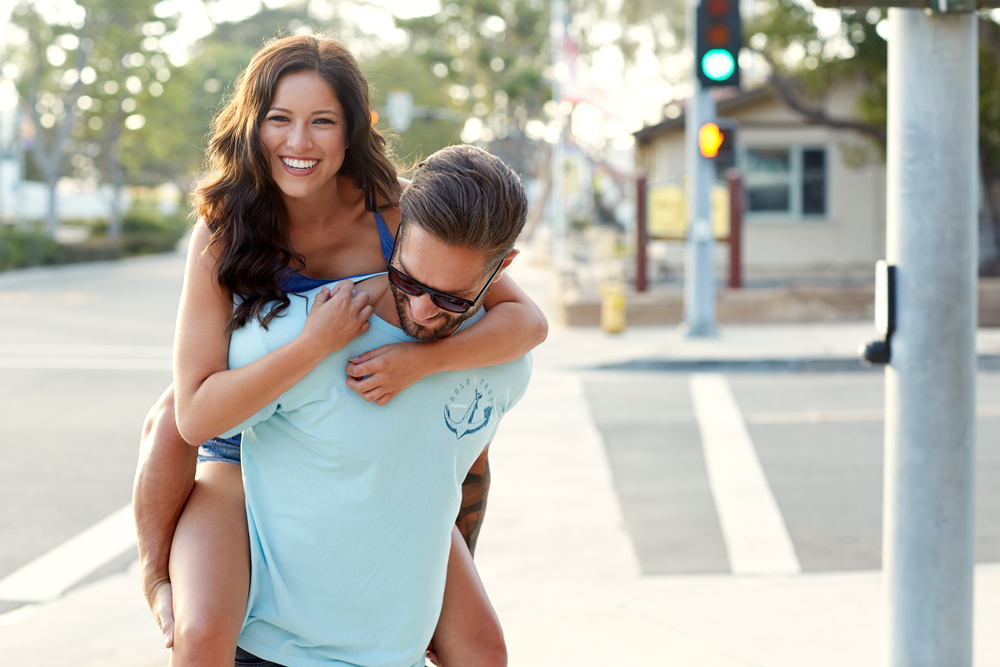
Thought I’d kick off the Independence day weekend with a little photo post from my last session. No better way to do it than with two U.S. Marines, looking to get some wedding photos they never had. Jim and Jhomara didn’t hire a photographer back when they got hitched, so I had the pleasure of photographing them to pick up a bit of the slack.  I did two things I rarely do for this shoot – used straight up natural light for just about everything, and returned to the exact same location of my last shoot.

Couldn’t resist setting up a subtle rim light for this second shot. Its my 430ex II just behind them and on low power. It doesn’t do any heavy lifting, just defines their edges a bit to give some added sharpness.


Thanks for reading! Think I’ll save my Independence Day ramblings for after the weekend when I have some 4th of July photos to accompany them. We’re going to enjoy the festivities in San Diego and exercise our freedom to slack off for a couple of days!

Carlsbad Portraits, Nicolas and Ally

2010/6/20 (Sunday) | Filed under: Family Photography, Portraits, San Diego

Natalia and Raman – Balboa Park

2010/6/10 (Thursday) | Filed under: Portraits, San Diego


Facebook Image Size and Printing

2010/6/10 (Thursday) | Filed under: How To/Tech

Times they are a changin’. Screens get bigger, native resolution increases, printers get better. I recently have been torn about whether or not to watermark my photos or at least include the customary frame with my name and URL so none of my work gets orphaned, stolen, used without permission etc. My feeling is really that watermarks and frames, although useful for advertising and security, always seem to take a  little something away from the most important thing: the image itself. They also carry a slight air of “I don’t trust you”, which is not something I want to convey.

In the process of trying to decide about watermarking, I have been mulling over some articles about only posting in “low resolution” or “web size” so as to protect your images from ending up on a billboard somewhere raking in megabucks for some big corporation, all whilst the struggling photographer cringes in a cold basement starving. While the latter scenario seems a bit far fetched, its important to consider the new definition of “low res” or “web size”.

Many articles argue that you can’t print with any quality from a “web size” image, but the meaning of “web size”  has changed greatly in recent years.

Here’s an example-

Facebook now takes a large image and reduces it to 720 pixels on the longest edge (constraining the other edge to preserve your aspect ratio).  A DSLR like my Canon 50d spits out a 2:3 type file that would start out at 4752 pixels x 3168 pixels.  Uploaded to Facebook, it would be reduced to 720 x 480 pixels. (Its better to resize them first, by the way).

This means one could download your image from Facebook and make a 7.2″ by 4.8″ print at 100ppi quite easily. If you think 100ppi ain’t enough, you’d be surprised. I’ve seen a few  of my images printed from Facebook (watermark and all!) and at a normal viewing distance, they look like a regular, bona fide,  photo quality print.

Does this mean you should watermark the heck out of your images? I don’t think so. I don’t know. Still haven’t decided whether to keep my watermark or just move on. But I do know this- if you want to keep people from making acceptable looking prints from your web sized images-consider sizing them under 400×400, or at the lowest possible resolution for your needs. If you’re not worried about it, go ahead and post that monster of a Hasselblad 60 megapixel beast on the web for everyone to download!

For a great article on the ins and outs of pixels and PPI, check here. -Oh, and thanks for reading!

Coronado wedding photography – Edina and Matt

2010/5/27 (Thursday) | Filed under: San Diego, Weddings

No “play by play” today…just photos. Thanks again Edina and Matt!

Portraits with Two Lights

2010/5/25 (Tuesday) | Filed under: How To/Tech, Models and Headshots


A couple weeks back I was invited to a model shoot up here in Oceanside and had about an hour to hang out with Turtle Michelle Cabrera, Makeup artist Elaine Garcia, and several local models. Turtle is a young, hard working photographer and took on the challenge of more than 6 models in a single day, mostly in a garage studio with two lights and some simple backdrops.

I was able to setup three lighting schemes that worked out pretty well and each one had a different “vibe” so I decided to share those setups here. (Geek alert! stop reading and scroll down to see pretty pictures if you didn’t bring your pocket protector to class today).

Yah, this is nerdy stuff, I actually made this diagram on Strobox, a lighting diagram app for iPhone. I know you’re thinking this is a three light setup, but believe it or not, our model is completely lit up by ambient light coming from the open garage door. With the bright sun coming in and bouncing off the white walls, I was able to shoot available light at ISO 200 at around f4 to properly expose the model. The easiest way to get a white background is to simply use your lights to nuke the white background paper to about 1 to 1.5 stops overexposed compared with your subject. We later augmented the setup with a 3rd light (580ex) bouncing off the ceiling, but in many cases, you can pull this off with just two lights. Balance the ambient as your key light, or use just one background light and your second light as key.

Next we went to the black backdrop. To keep it dark, dark, black, make sure none of your lights are spilling onto the background. You could burn the shadows later in Photoshop, but less time editing is a very good thing, so why not try to nail it in the camera? Another step is to stop down the camera and speed up the shutter so no ambient light from the outside world contaminates the controlled lighting. Take a test shot without the flash and your LCD should be pitch black.

For the maternity shot above, we used a studio strobe with a medium softbox in pretty much a classic 45 degree pattern at camera left and up a bit. The second light is placed directly behind her. Its a hot shoe flash (430exII) with a Honl grid attached to prevent spill and a 1/2 CTO color gel to make things go a bit orange and give some color contrast.

This last one is my favorite and it is probably the easiest one to set up on the fly. The background is just the drywall on the opposite side of the garage. (I wanted to work on something else while another model finished working on the “real” backdrop.)

This one was made with two small Speedlights. One was equipped with a Honl snoot, place high and camera right. I asked the model to close her eyes while I did some test pops to make sure the light would hit her eyes. The small illuminated triangle on her right cheek is what defines “Rembrandt lighting”, and is pretty much a variation on 45 degree or “Loupe” lighting.

The second light was set on low power, covered with a red color gel and aimed at the drywall behind her. See my portfolio for a couple other versions of this “snooty” setup.

So there you have it. Three setups that are relatively portable, use simple backgrounds, and can be done with just two lights.

If you enjoy my blog, please help me out by linking this page……Oh, and thanks for reading!

La Jolla Shadows

2010/5/4 (Tuesday) | Filed under: Portraits, San Diego

Chris and I were getting set up for a family portrait session last night at the beach and he started doing some funky poses behind our diffuser panel just for laughs. I shot some silhouettes  and noticed something pretty revealing. Even when you’re up high on the cliff you get two distinct shadows. One is from the direct sun and one is from the water reflecting quite a bit of light upward at Chris and putting higher soft shadow on the panel.

One of the reasons I love shooting near sunset on the beach, the reflected light can extend your shoot time to about 20 minutes past sunset. Working at the beach doesn’t totally suck either.

Next post will be some images from the session and a special thanks goes out to Stephanie, Matt and Josiah for letting us photograph you.

Thanks for reading!

Gellin’ like magellan – color gels with small flash.

2010/4/29 (Thursday) | Filed under: How To/Tech, Models and Headshots, Portraits, San Diego, Uncategorized

Chris and I managed to pull off another beach shoot without losing anything - almost. A roll of gaffer’s tape going MIA is not as bad as what the angry seas have swallowed up in our past endeavors. So, to appease the ocean Gods, I decided to post a setup shot, perhaps give you shooters a little tidbit to think about.

Whenever I have an assistant or second shooter on hand, I go for the shoot-through umbrella. Its tough to manage in the wind alone but it spreads light a lot more than a small softbox and it can allow you to shoot right on through sunset. But I digress, this post is actually about cool, cheap and fun color gels.

When skies are gray and the daylight color is overall a bit dull, I have been going to the scotch tape and color gels more and more. (As if you really needed more junk to tape to your flash right?)

This is a “CTO” (color temperature orange) gel and its quite handy. It imitates tungsten light and allows me to set my white balance to something close to “tungsten”  and still have nice skin tones. But the background is daylight, not tungsten, so instead of looking like the dull gray reality that it is, it turns a nice blue color, and our subject stays normal. The orange can also be cool for imitating evening sunlight (see previous post). I prefer to buy the 1/2 CTO gels in a big sheet and then simply double them up when I need a full cut for a more orange look. There you go. Now your’e “gellin like magellan”. Darn those infectious foot gel commercials-see how I play right into their marketing?

When it Pays to be a bit Snooty.

2010/4/23 (Friday) | Filed under: How To/Tech, Models and Headshots

We photographers are always trying to soften up the light. Bounce it off a ceiling or a wall, put an umbrella or a big softbox on our lights. Most of us, at one time or another, have resorted to having all manner of white plastic tupperware  type devices hanging off our on-camera flashes making us look all kinds of foolish and prompting “what the heck is that thing on your camera” type conversations. This all in the name of creating soft light that wraps around absolutely everything. But judiciously used, hard light can also be cool. I picked up this little “go to” portrait technique from David Hobby who has made a career out of using small flash in creative ways and subsequently blogging about his assignments.

For both of these photos, I used a Honl snoot, which shapes the light into a small spotlight. The flash is off the camera on a light stand and up a bit high. I just basically follow David’s method of dropping my ambient exposure a bit and popping the subject’s face back up a bit with the hard light. I didn’t do any dodging, burning or vignetting in Photoshop, just some very subtle skin retouching and a little midtone boost in her eyes.

Hard light is not for everyone (it brings out quite a bit of skin detail) But a young female model or male subject can take the “punch”  of some hard light. Using a light colored wall will give you some bounce back toward your subject and soften the effect a bit.

Thanks for looking!


Beach sunset portraits – setup etc.

2010/4/9 (Friday) | Filed under: How To/Tech, Models and Headshots

Living near this free backdrop is pretty cool sometimes. Some folks in San Diego shy away from the typical beach location shoot, but I can honestly say it does not get old for me.  Learn how to wrangle your flash and ambient light mixture and the fun really begins. I am still studying this one all the time.

I only had about 10 minutes before darkness really kicked in the other night and it was getting cold so Chris and I worked as fast as possible to get a few extra shots for the portfolio.

I decided to share our method here for getting sunset portraits. We use off camera flash but it could also be done with an on camera (hot shoe mounted) flash if needed. I just prefer the light to not be on the same axis as the lens if at all possible. Looking at the shadows, you can see our light is coming from camera left. Its a Canon 430ex II and we diffused it with a small shoot-through umbrella.

So this is basically the process-

1. Set the camera to manual exposure and ISO 100 (or some other relatively low ISO).

2. Set your shutter speed to your fastest sync speed. (usually around 1/200 or 1/250 sec.)

2. Dial in a good aperture, concentrating on your flashed subject only.

3. Lower your shutter speed to bring in the ambient light. Concentrate on the sky and slow it down till the background looks good.

That’s it! A few extra things to note. Your shutter usually has to be below 1/250th to sync with your flash. (not a problem at this time of night). Don’t worry about having a slow shutter. The flash fires at around 1/1000th and should freeze your subject pretty well (the shot above was at 1/30th and the camera was hand held).

Also, we taped a 1/2 cut of CTO gel on the flash to make it a bit more orange and match the fading sunlight a bit better. You could do that in Photoshop if you want, but why not nail it in the camera if possible?

The ones below were made with the same flash, held at camera right and behind our model Jessica, creating a little faked “sunlight” on her hair. I have been into lighting from behind these days to create a little separation and hair detail. Again, a 1/2 cut of CTO gel on the flash helps imitate evening sunlight. And Jess is doing a good job of acting like she is not freezing.

Thanks for looking! Did some studio work last week as well and am working with talented artists and models in the coming month. More to follow…